Web · iPhone · iPad · Android
It's 7:42 on a Tuesday.
Nobody knows who's taking Sam to practice.
Skedaddle is the calendar that answers that — on everyone's phone, and on a tablet on the kitchen wall where the whole family walks past it.
Coming soon to the App Store and Google Play. Works in any browser today.
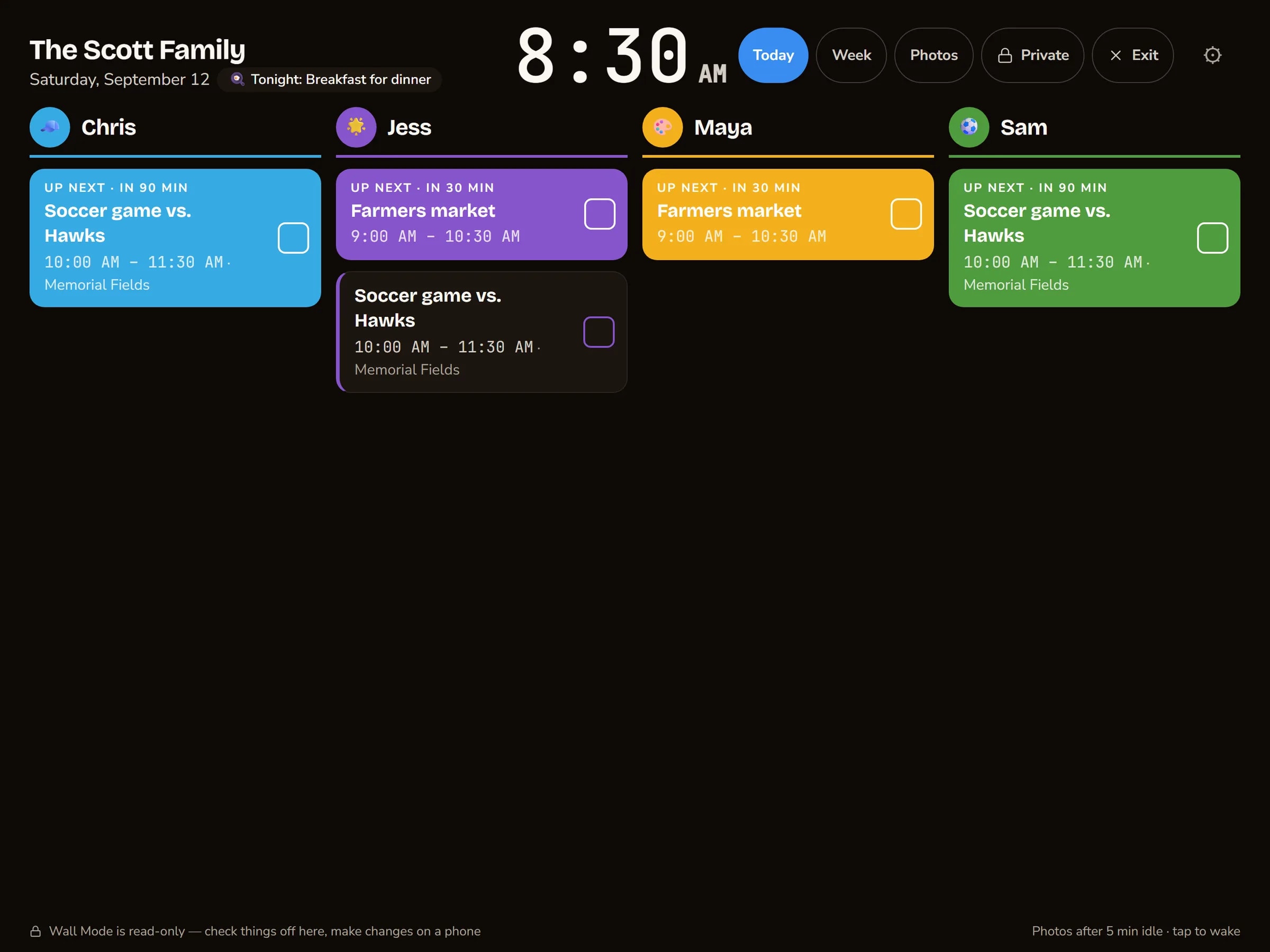
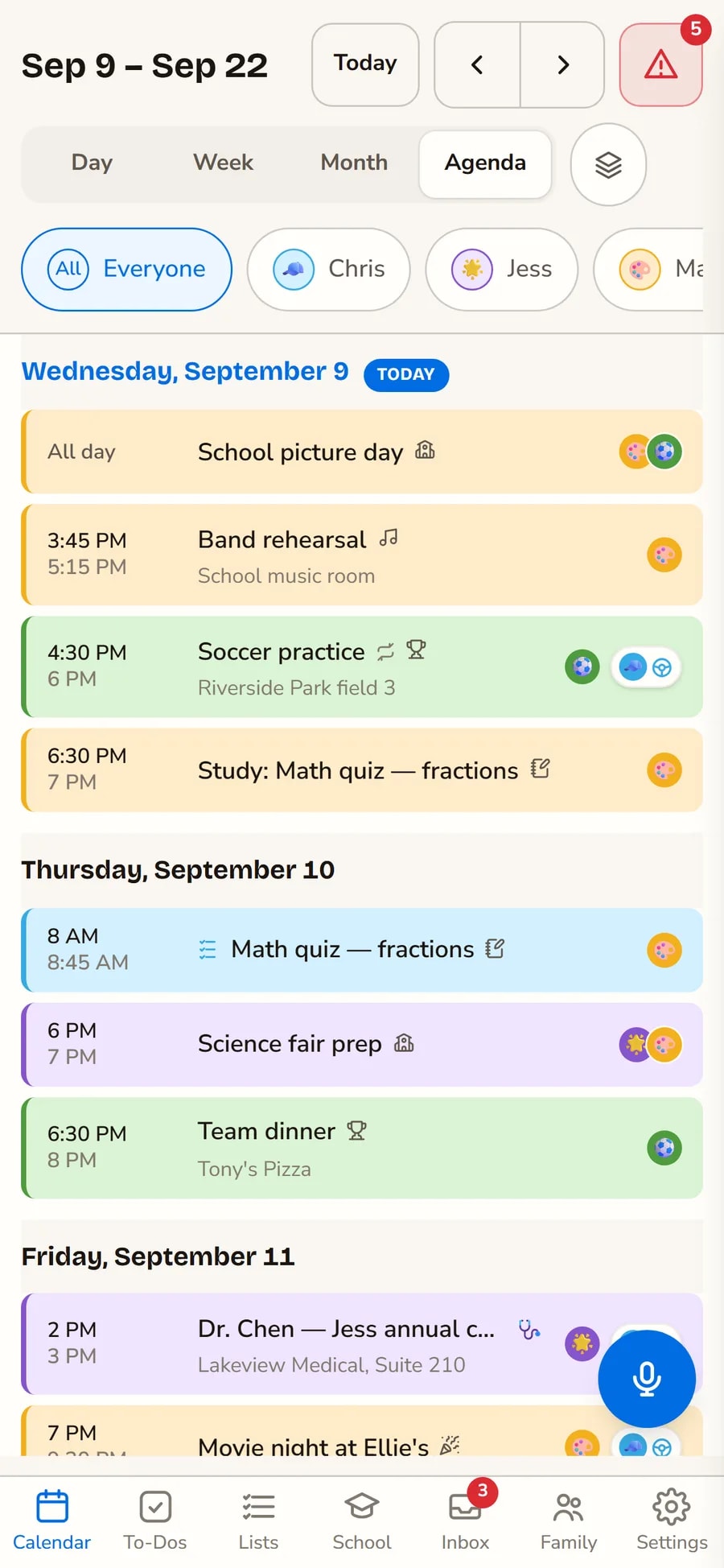
A week in the Scott house
Everyone's week, in everyone's colour.
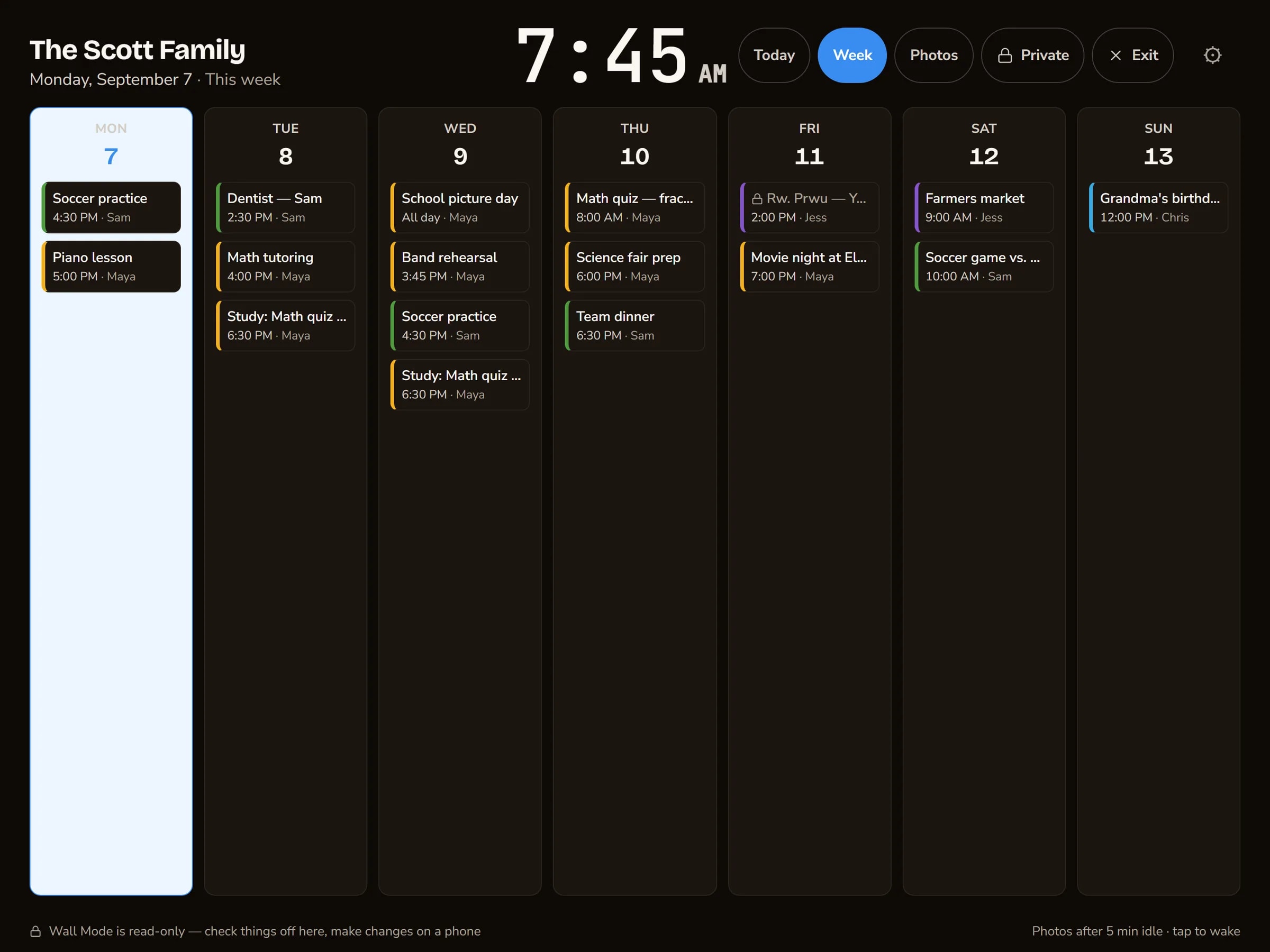
This is the bit that does the work. Not a feature — a glance. You look at the wall on your way past and you already know how Thursday is going to go.
- Maya. Band rehearsal Wednesday at 3:45. Piano Monday.
- Sam. Soccer vs. the Hawks, Saturday morning.
- Both. Picture day Wednesday — dress uniform, said the email.
- Dinner. Tuesday is Torchy's. Wednesday is leftovers.
The bits of family life that fall on the floor.
Every one of these started as something that went wrong in a real house.
Whose week is it, anyway?
Everyone gets a colour. One look tells you the day Maya has three things and Sam has none — and who's driving to each of them. No decoding, no asking.
Add it while your hands are full
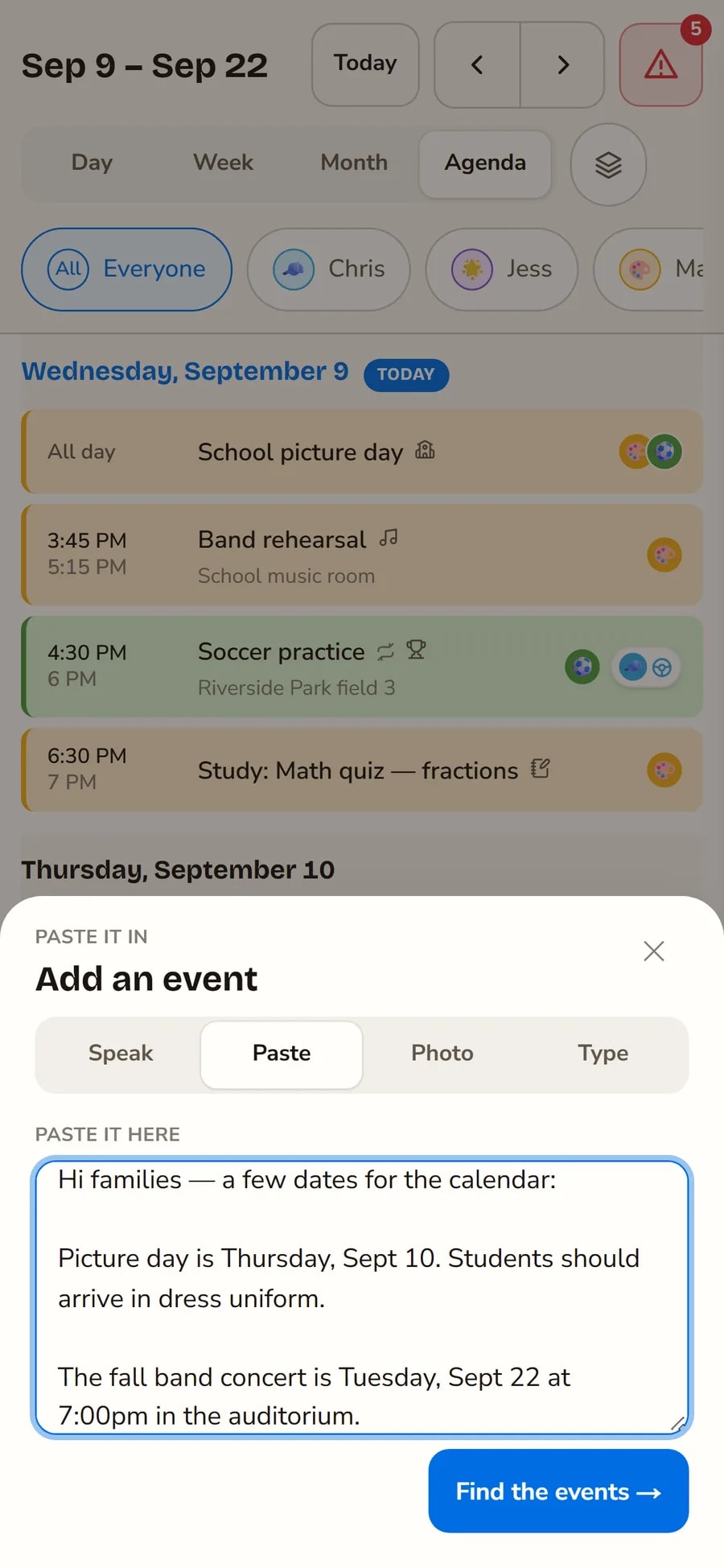
Say it out loud, paste the school email, or photograph the flyer stuck to the fridge. Skedaddle reads the events out of it and shows you before anything lands on the calendar.
Who's taking him home?
Share one event with a neighbour — just that one — and they can answer without downloading anything. Their offer comes back to your Inbox, and you decide.
The chore chart that keeps itself
Morning and bedtime routines, chores that rotate between the kids, and stars they bank toward something they picked. They tick things off; nobody nags.
What's for dinner is on the calendar
Plan the week's dinners — cooking, takeaway, or Tuesday-is-Torchy's — and they sit on the calendar with everything else. The cooking ones send their ingredients to the shopping list.
One list, everybody adds to it
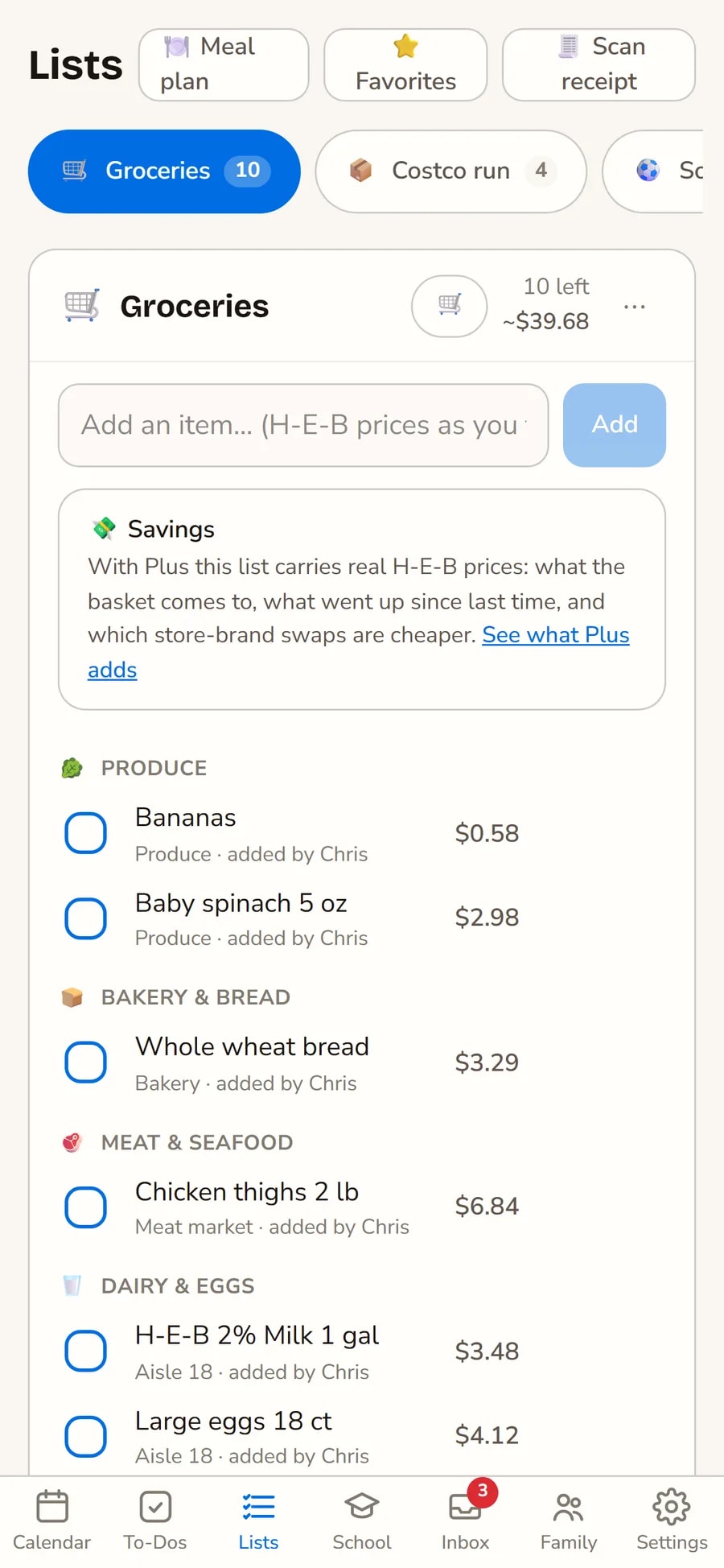
Say "milk" from the sofa; it's on the list at the shop, sorted by the aisle you'll walk past. Store Mode makes the rows big enough to tick off one-handed with a trolley.
One button
Nobody types in a school email.
That's the real reason family calendars go stale — not that nobody wants one, but that putting Thursday's picture day into it is four screens of typing while you're holding a rucksack. So there's one plus button, and four ways through it.
- Say it. “Sam's dentist Tuesday at half two” — it hears the day and the time and fills the form in.
- Paste it. The whole newsletter, all six paragraphs. You get back the two things in it that are actually dates.
- Photograph it. The flyer in the book bag, the fixture list on the noticeboard.
- Or just type it. Sometimes you know exactly what you want and the form is the fastest thing in the room.
Whichever way it comes in, you see what it found and change anything before it lands on the calendar. Nothing an email or a photo says ever writes itself onto your week.
Wall Mode
The fridge calendar, grown up.
The paper one worked because it was in the way. Put an old iPad where the paper one was and it does the same job, except it's right, and the kids can tick things off it.
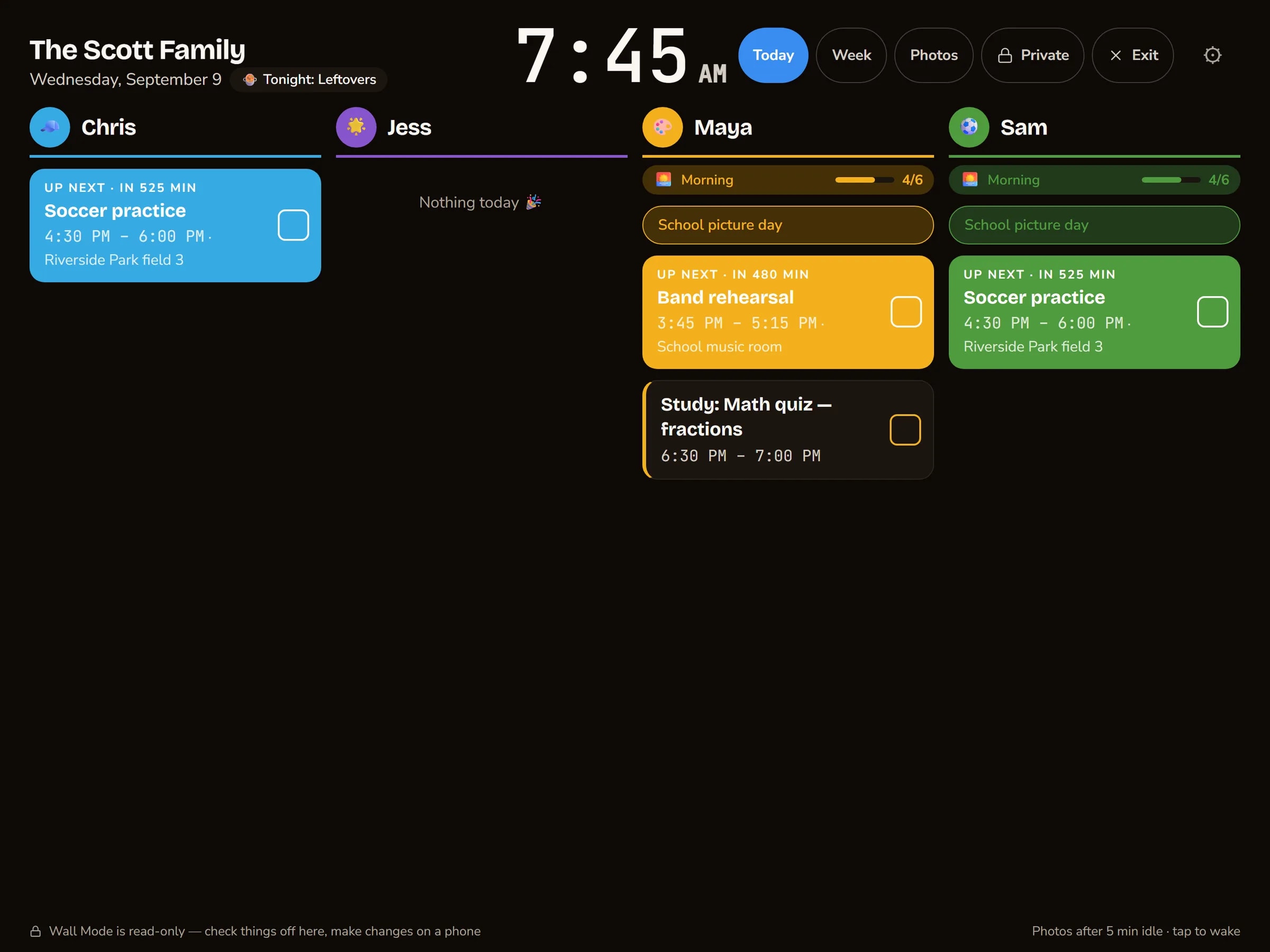
- Today, one column each. Big enough to read from the other side of the kitchen.
- Kids tick things off on the wall itself. Teeth, bag, shoes — and the stars go up.
- Private stays private. A locked appointment sits there in your colour with the words scrambled, until a parent unlocks it.
- It settles down at night. Dims itself around bedtime, brightens before the morning, and shows your photos in between.
And one tap away, the next seven days — for the Sunday-night look-ahead.
And in everyone's pocket.
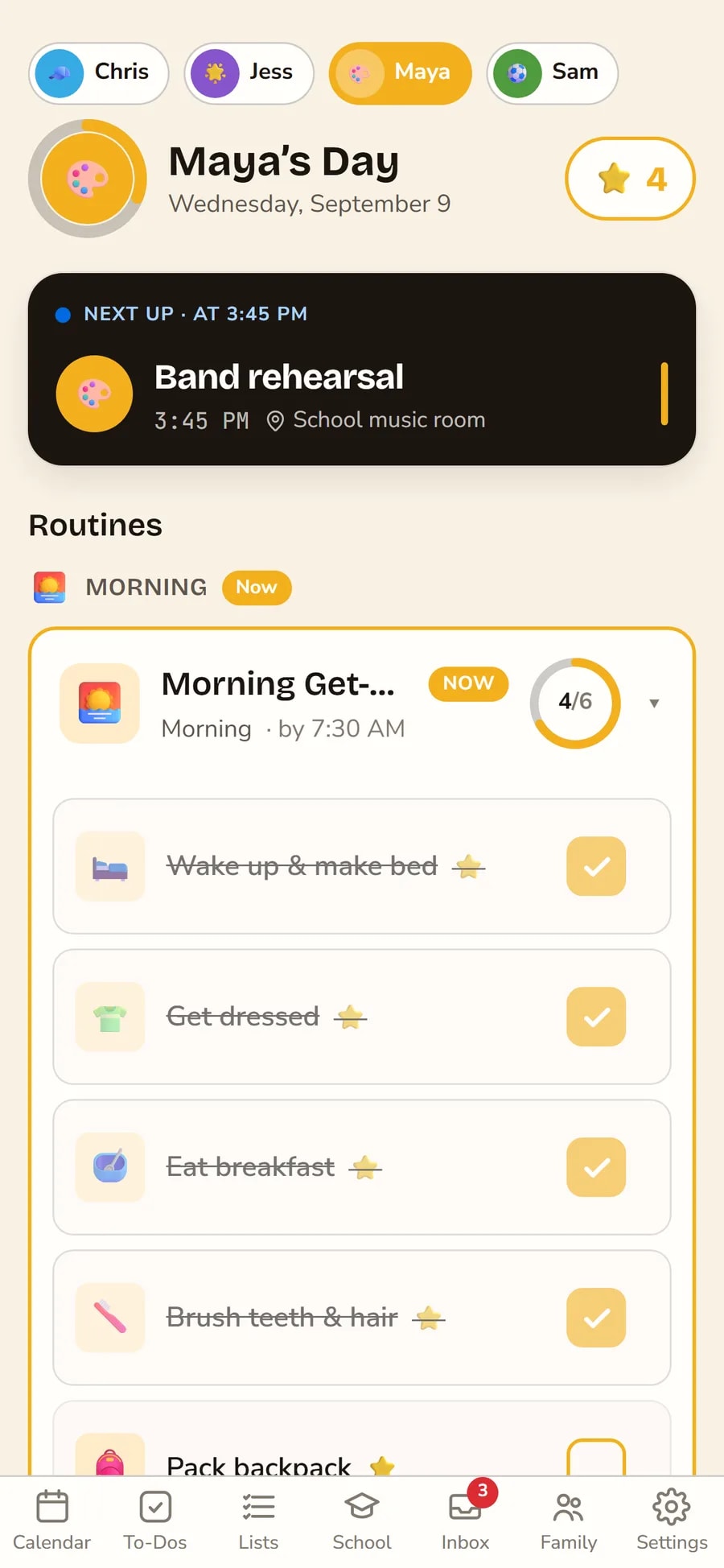
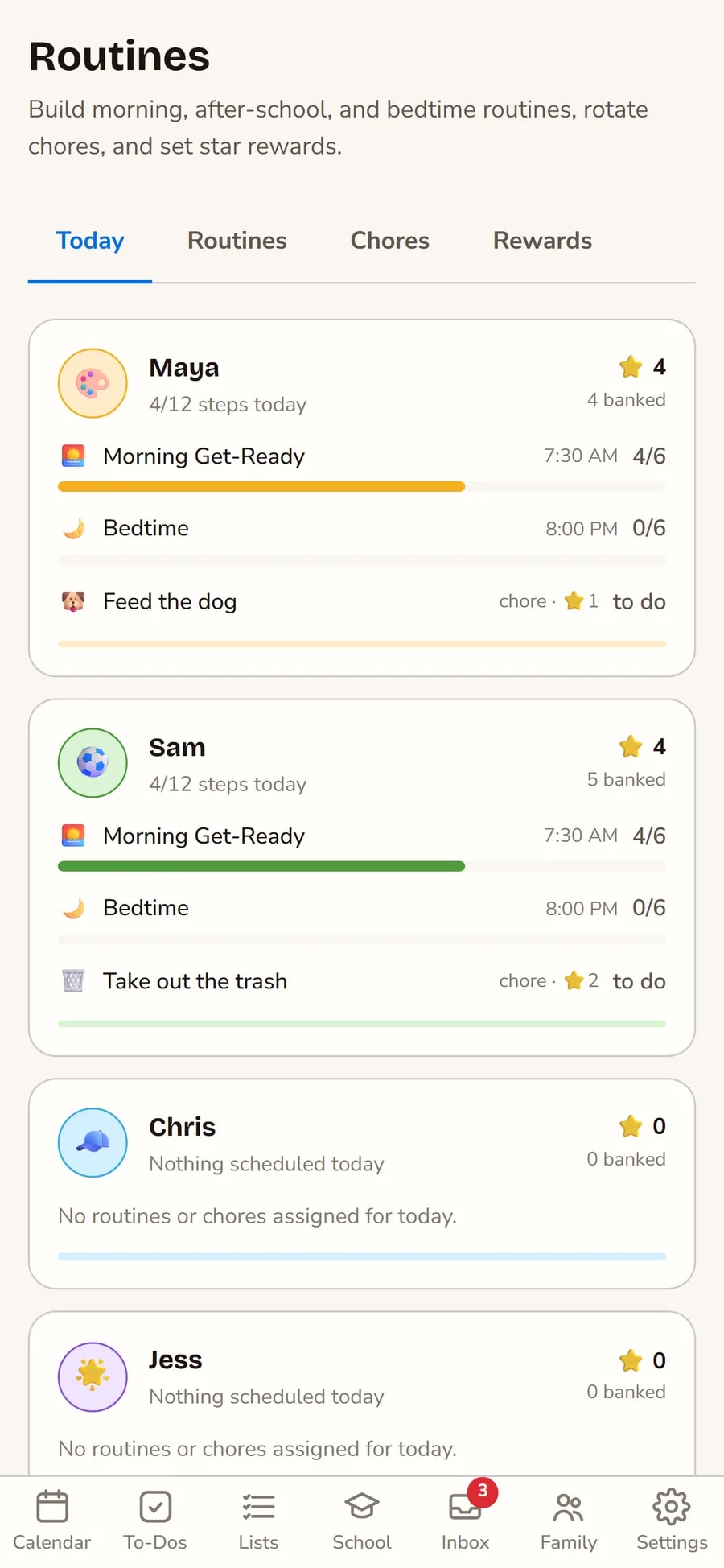
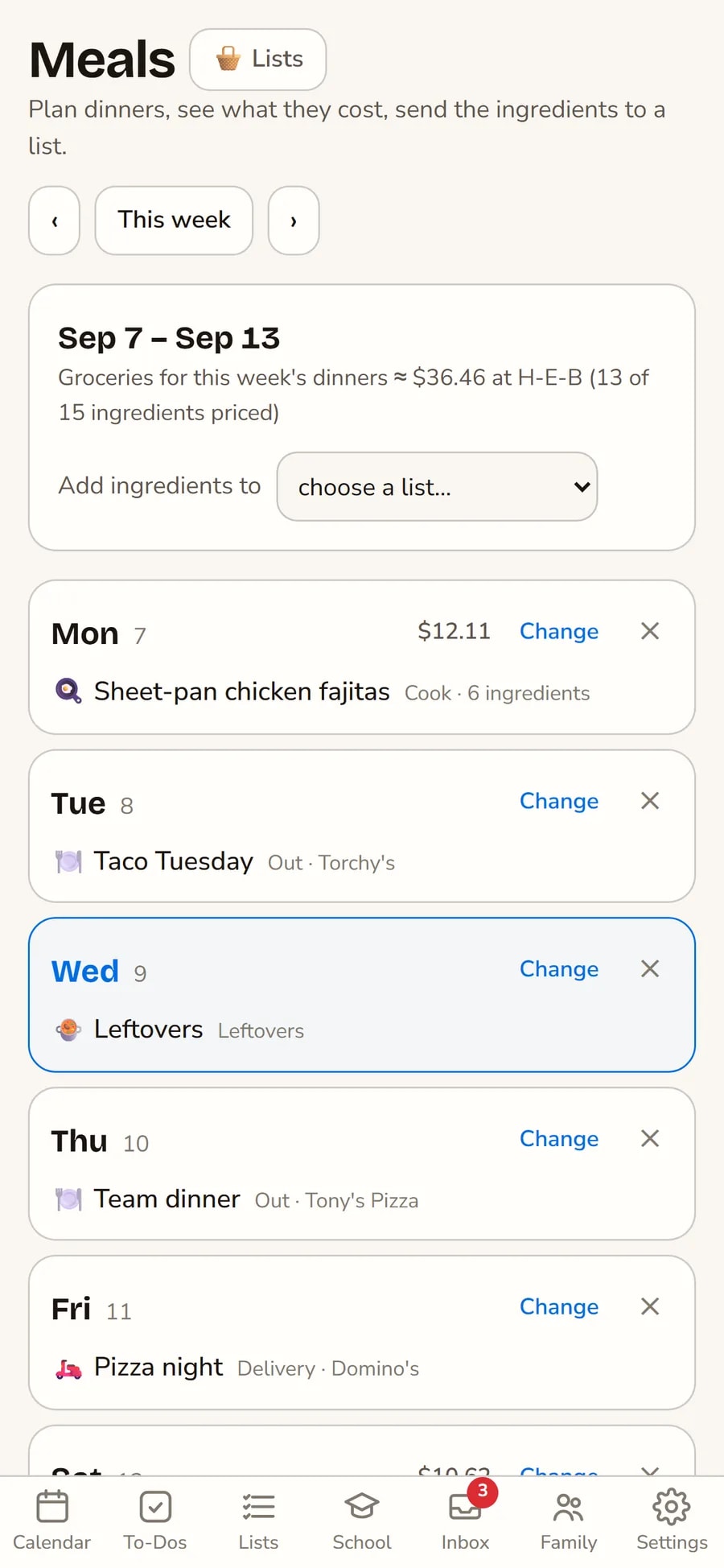
Tonight on the sofa, on the wall by breakfast.
- 1
You, then everyone else
Sign in with your email — there's no password to forget. Add the family and pick everyone's colour. Two minutes.
- 2
The kids get their own phone, not your account
Set up a child's device once and it's theirs: they see their day, their routines, their stars. They can't see yours, and they can't see their brother's.
- 3
Put the old iPad on the wall
Pair it with a six-digit code, switch on Wall Mode, and lean it on the counter. It dims itself at bedtime and shows your photos when nobody's looking.
The things parents actually ask.
- Is it really free?
- Yes. Everything on this page is free for your household — on the web, iPhone, iPad and Android. Plus adds the parts that cost us money to run: reading photos and school emails with AI, and live grocery prices.
- Do my kids need email addresses?
- No, and we'd rather they didn't. A parent sets up each child's device once, or gives them a PIN for the family iPad. Nothing about your family leaves your household.
- Can my kids see my calendar?
- They see the family calendar — that's the point of it. What they can't see is anyone else's private list: a child's day, to-dos and stars are their own, and a sibling can't read them. Appointments you'd rather nobody read can be locked behind a PIN, so on the kitchen wall they're a block in your colour with the words scrambled.
- What do I need for the wall?
- Any tablet with a browser. The iPad in the drawer with the cracked corner is perfect — it only has to sit there and be looked at.
- I already have five calendars. Do I have to retype them?
- No. Subscribe to the ones the school and the teams already publish — TeamSnap, GameChanger, Heja, ParentSquare, Canvas, Google Classroom — and point each one at the right kid, so Sam's fixtures land in Sam's colour. Google and Outlook connect directly.
- What happens to our stuff if we stop using it?
- You delete the household from Settings and it's gone — every event, list and photo. No email to write, nobody to ask.
Put the plan where the family is.
Free for your household. Nobody has to ask who's driving again.
Start free